Applications
A populated account can hold many applications, each with its own programme, status, and history.

Choose your view
See the complete workspace and workflow for students, institutes, or education agents.
From first search to enrolment
Find the right programme, apply online, access My Univs, and follow every application, document request, message, invoice, and next action from one secure workspace.
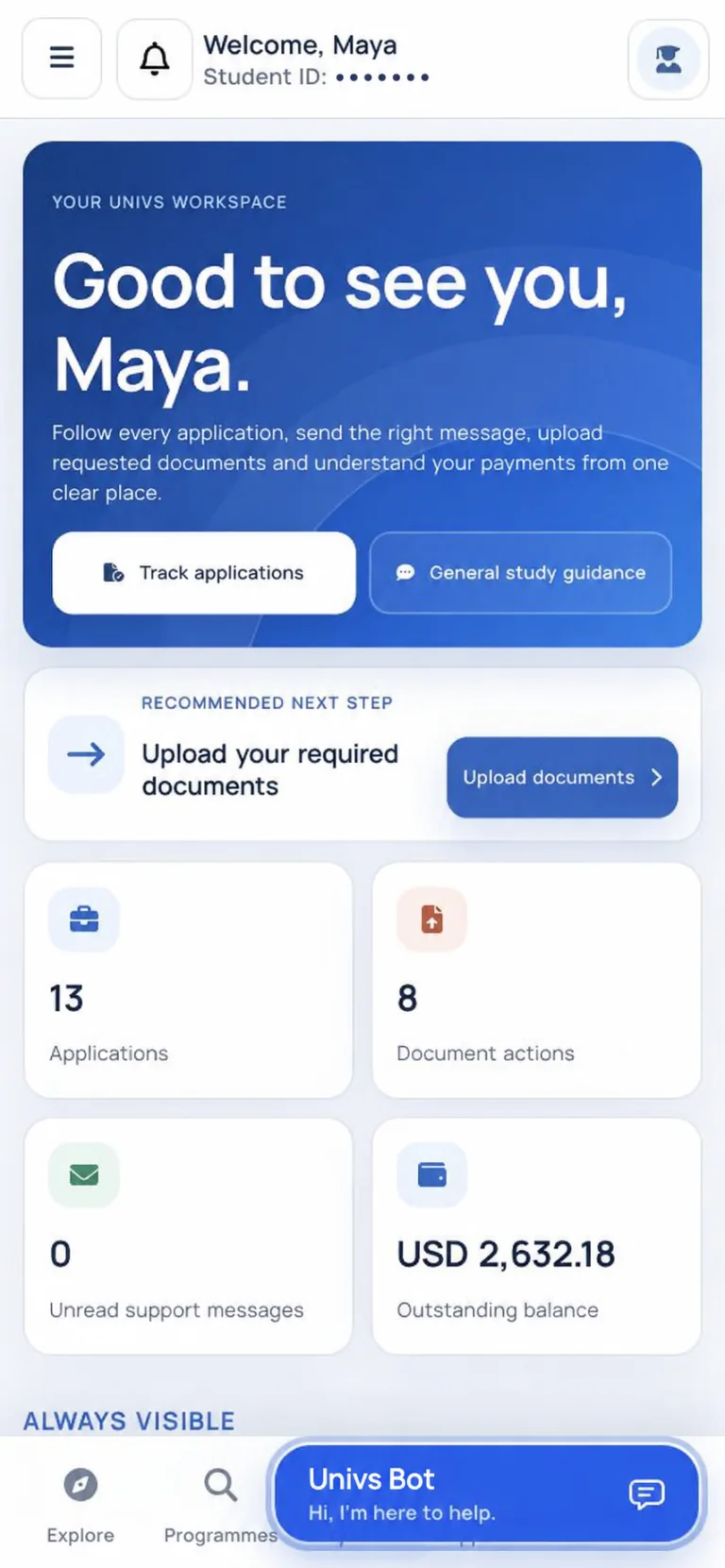
Univs charges students no agency, consultancy or service fee. Any application fee set by the university is shown before you pay.
Your step-by-step journey
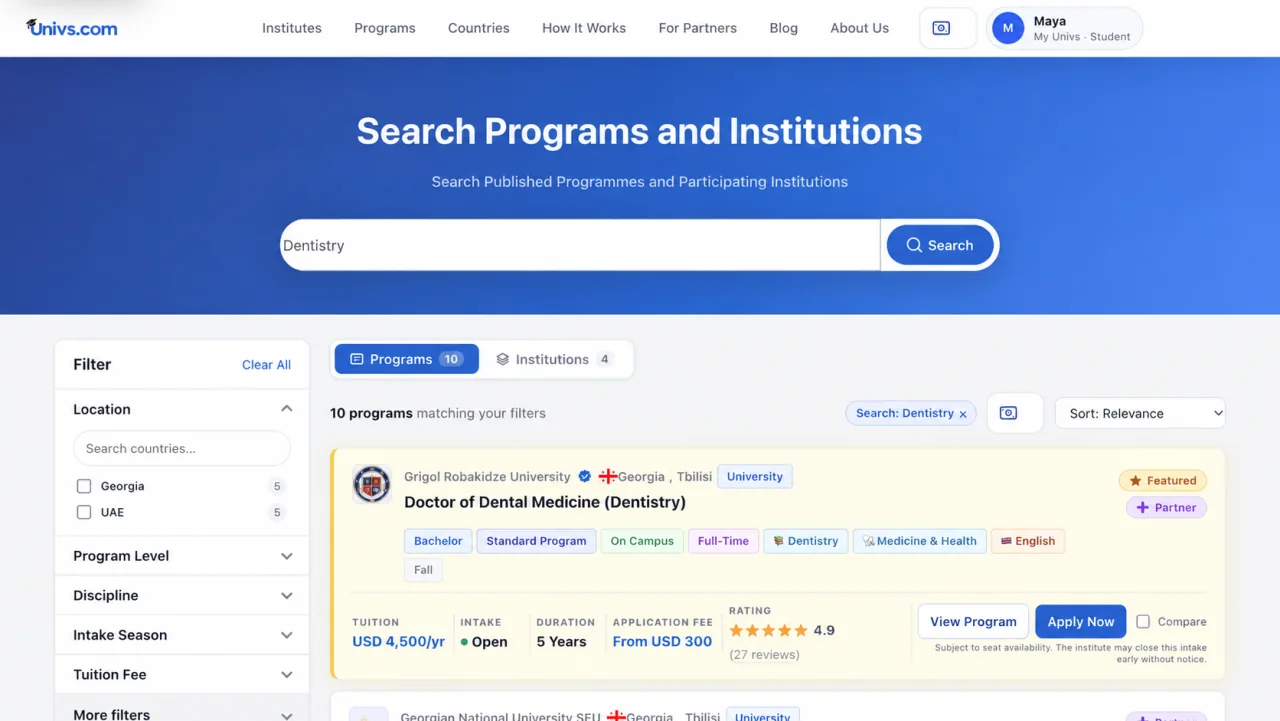
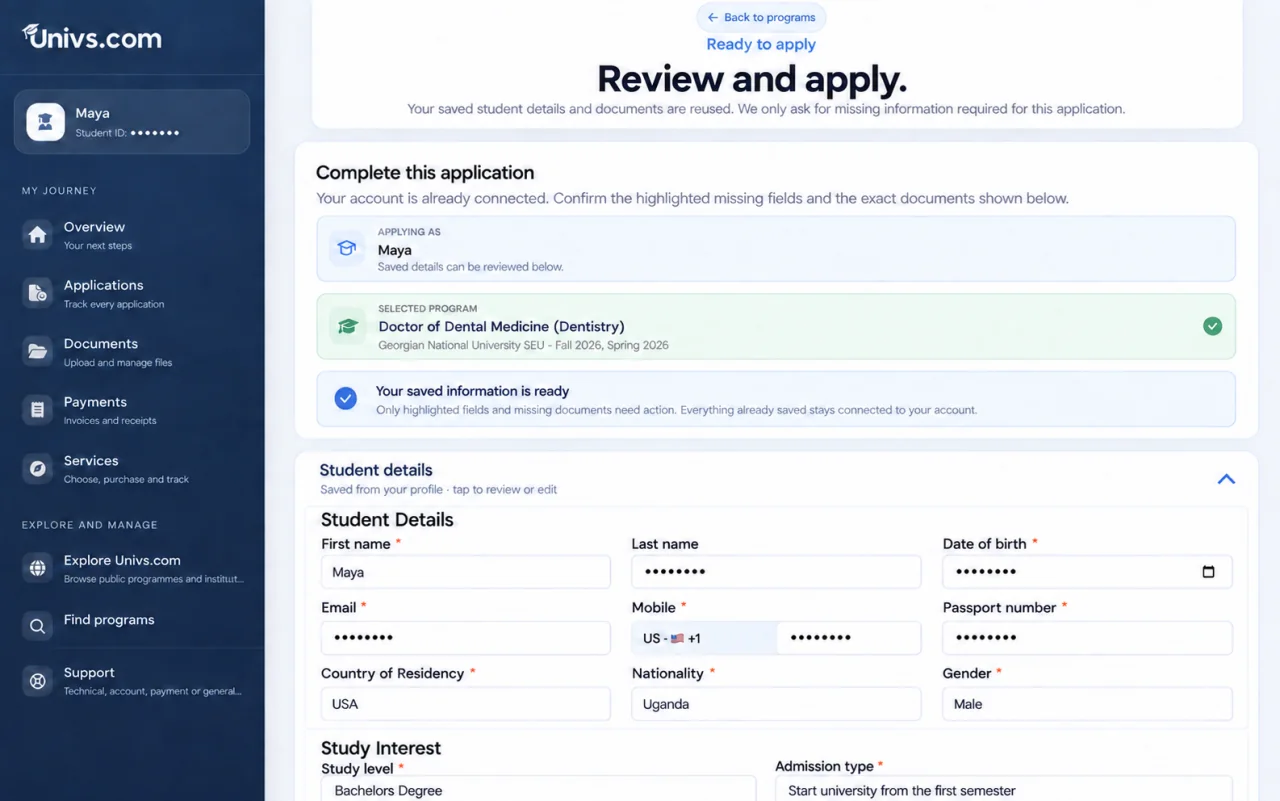
These screens show the real Univs experience. Personal student information has been replaced or hidden.
Search by subject and compare real options by university, tuition, intake, duration, application fee, and study format before you apply.
Review the selected programme, confirm your personal details, and complete only the information that is still needed for this application.
Your account access
After your account is created, use the email address connected to your application to sign in. Password recovery is available from the secure login page.
Your application has been received and your account is ready.
Inside My Univs
My Univs keeps every record, next action, document, message, and payment connected to the correct application.
A populated account can hold many applications, each with its own programme, status, and history.
See which files are requested, uploaded, received, approved, or need attention.
Read and reply inside the relevant application so the conversation stays connected.
Review totals, paid amounts, remaining balances, due dates, and receipts.
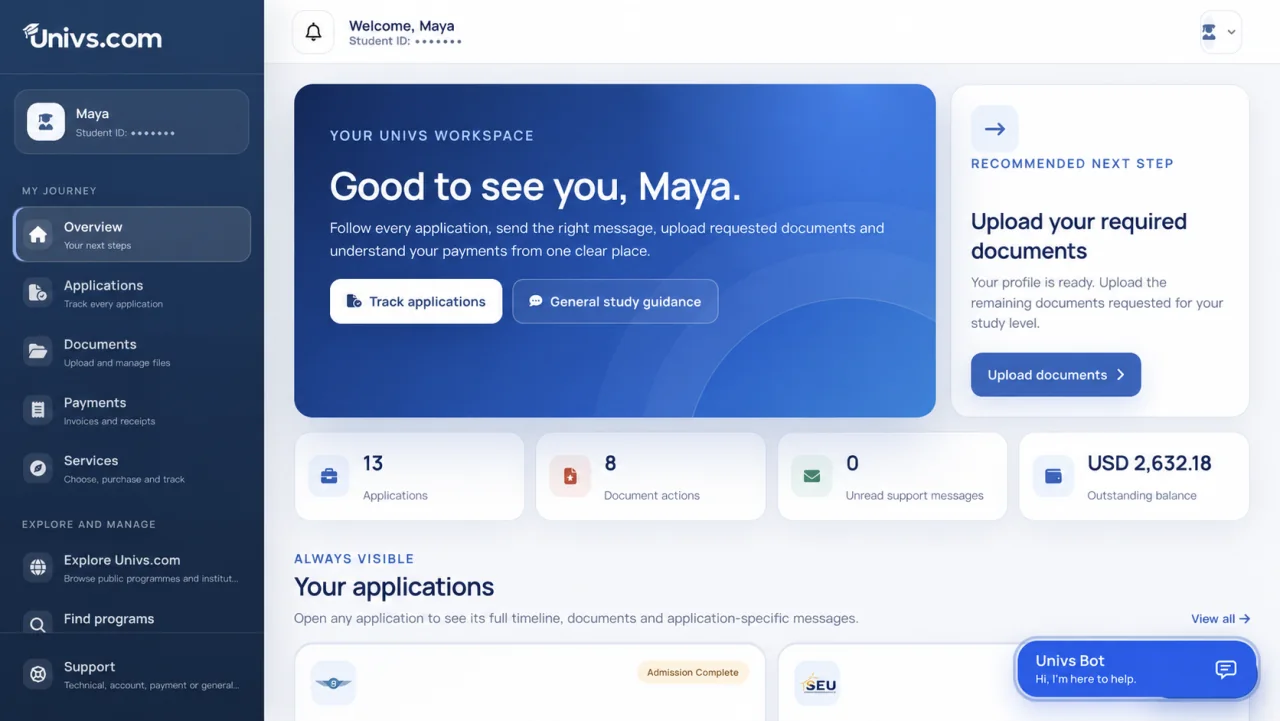
A real portal walkthrough
These are real screens from a populated My Univs account. Student, application, and invoice identifiers are hidden for privacy.
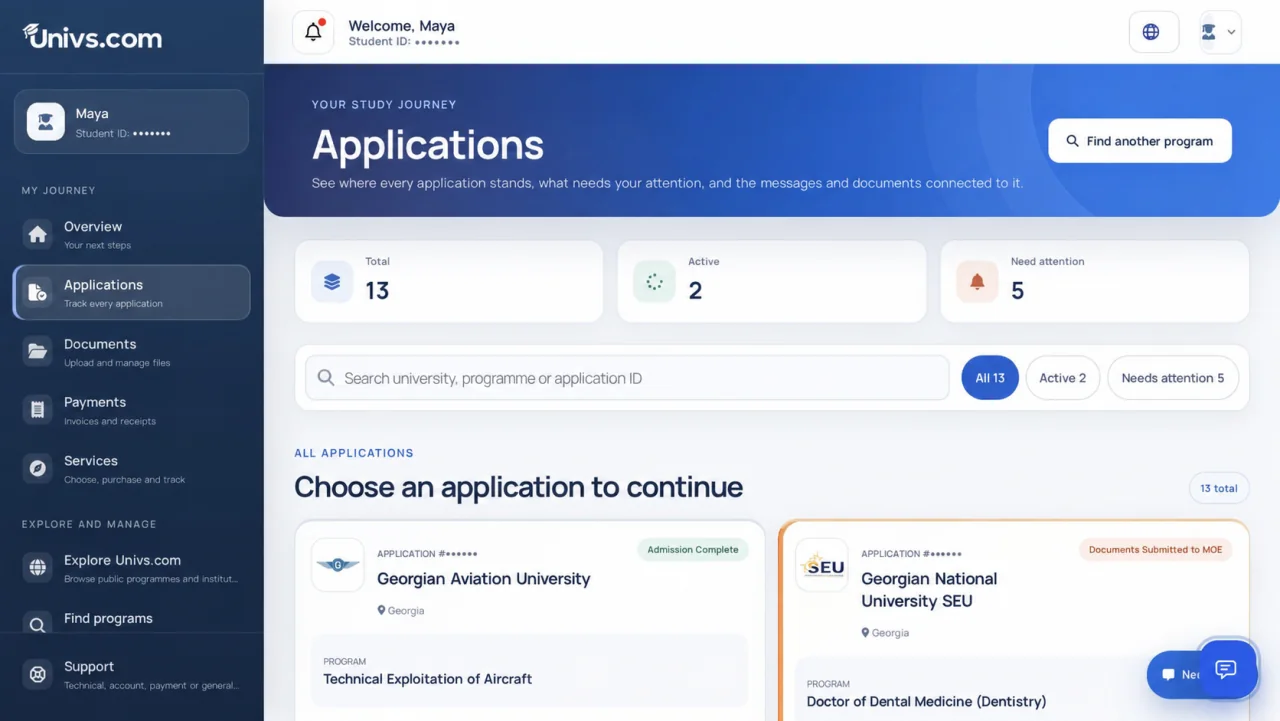
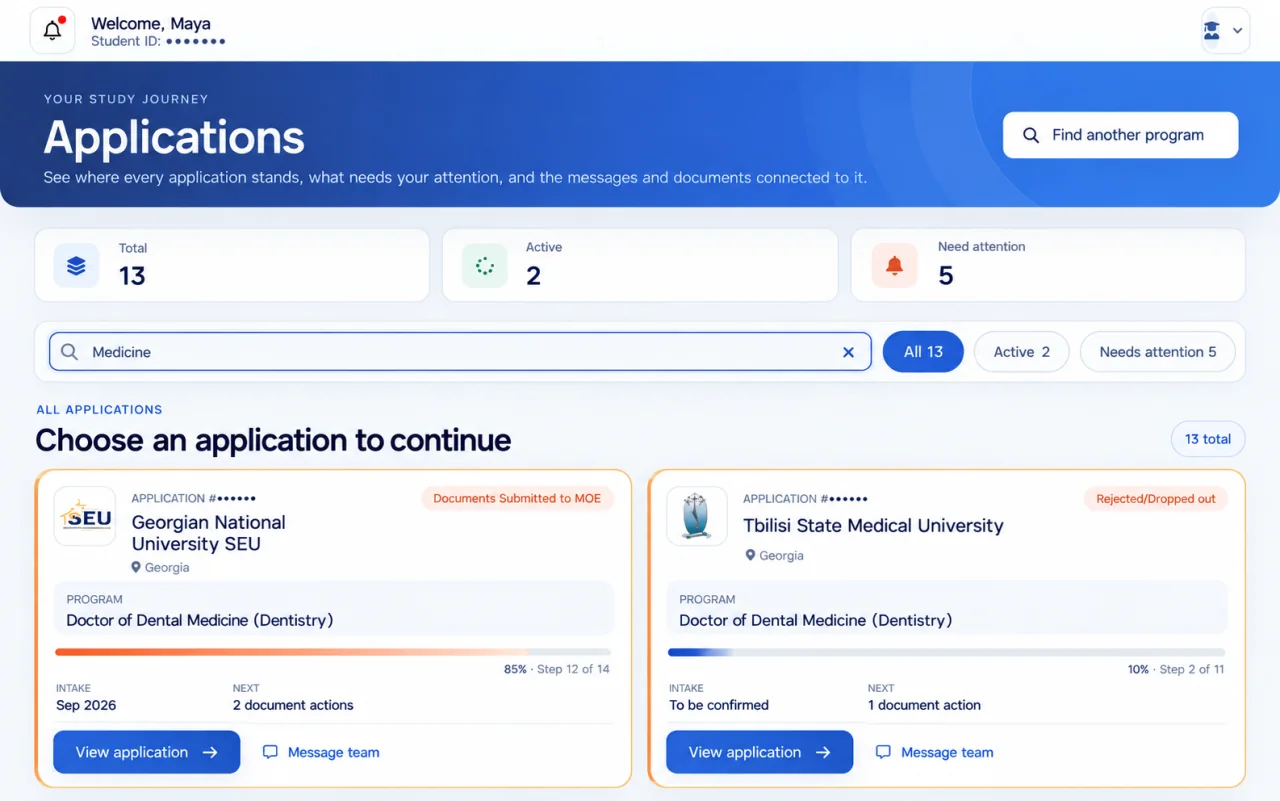
The applications page shows totals, active cases, items needing attention, search and status filters. Open any card to continue from exactly where you left off.
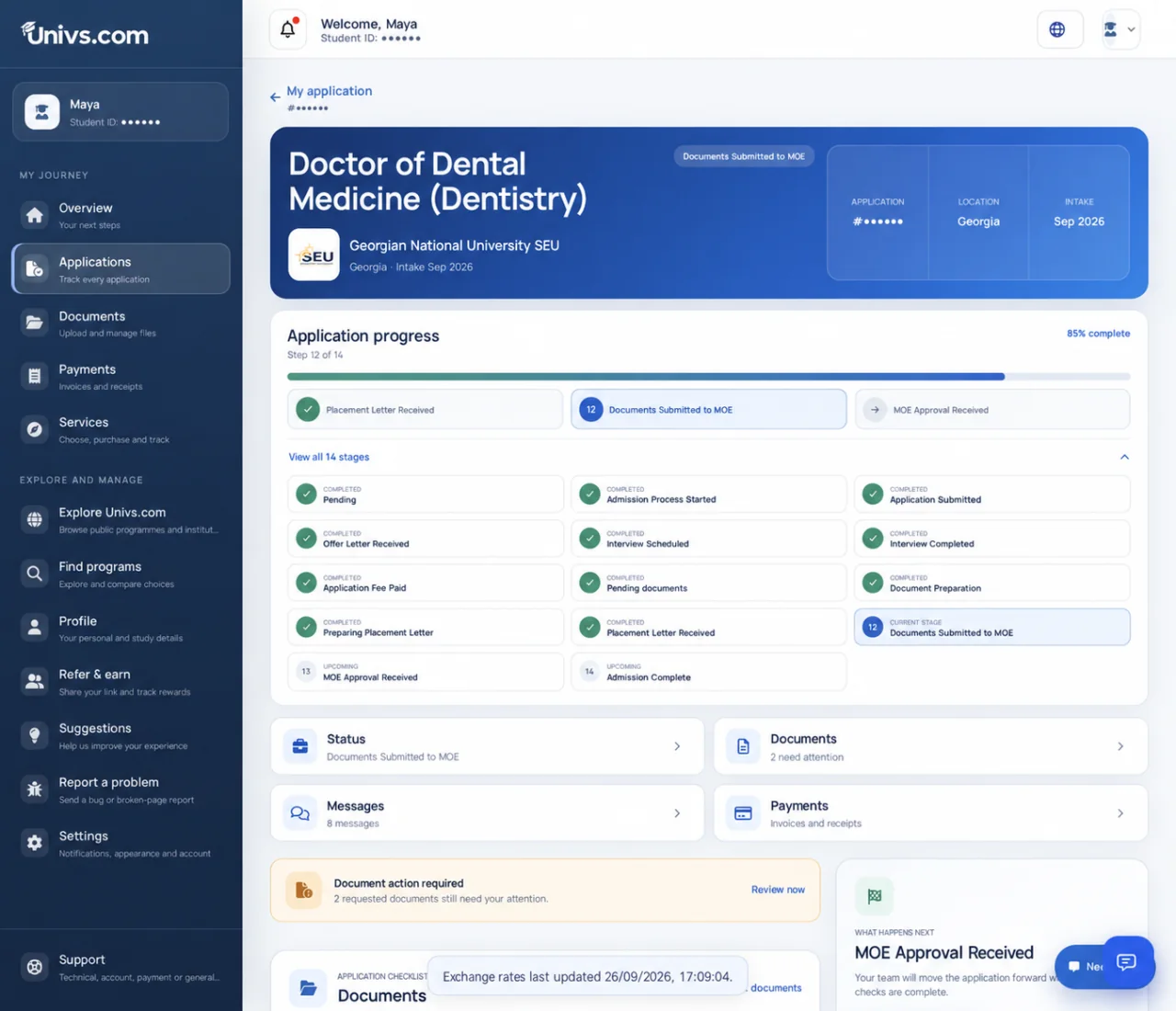
This real Doctor of Dental Medicine application to Georgian National University SEU shows all 14 stages expanded. Completed, current, and upcoming milestones are visible together, with the next action directly below.
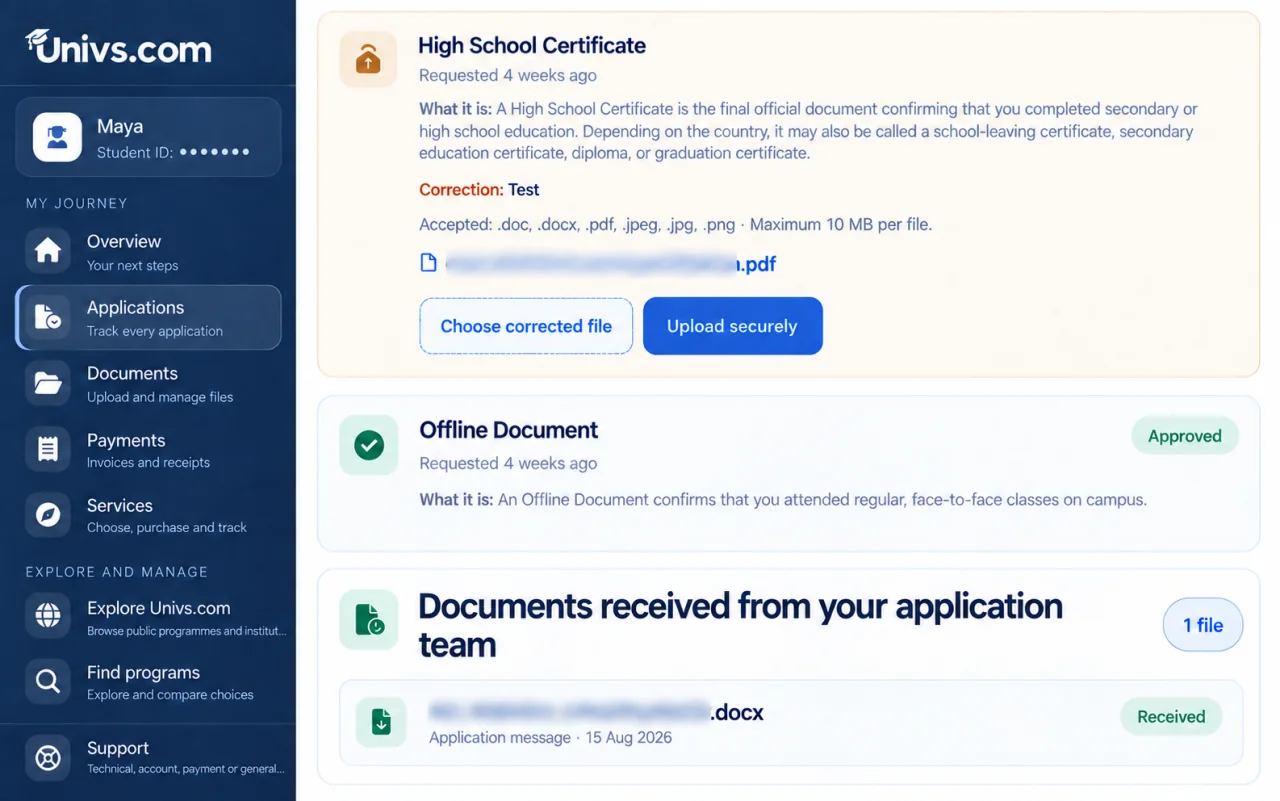
See the request, correction note, accepted formats, approval status, and files sent by your application team without reading an oversized page.
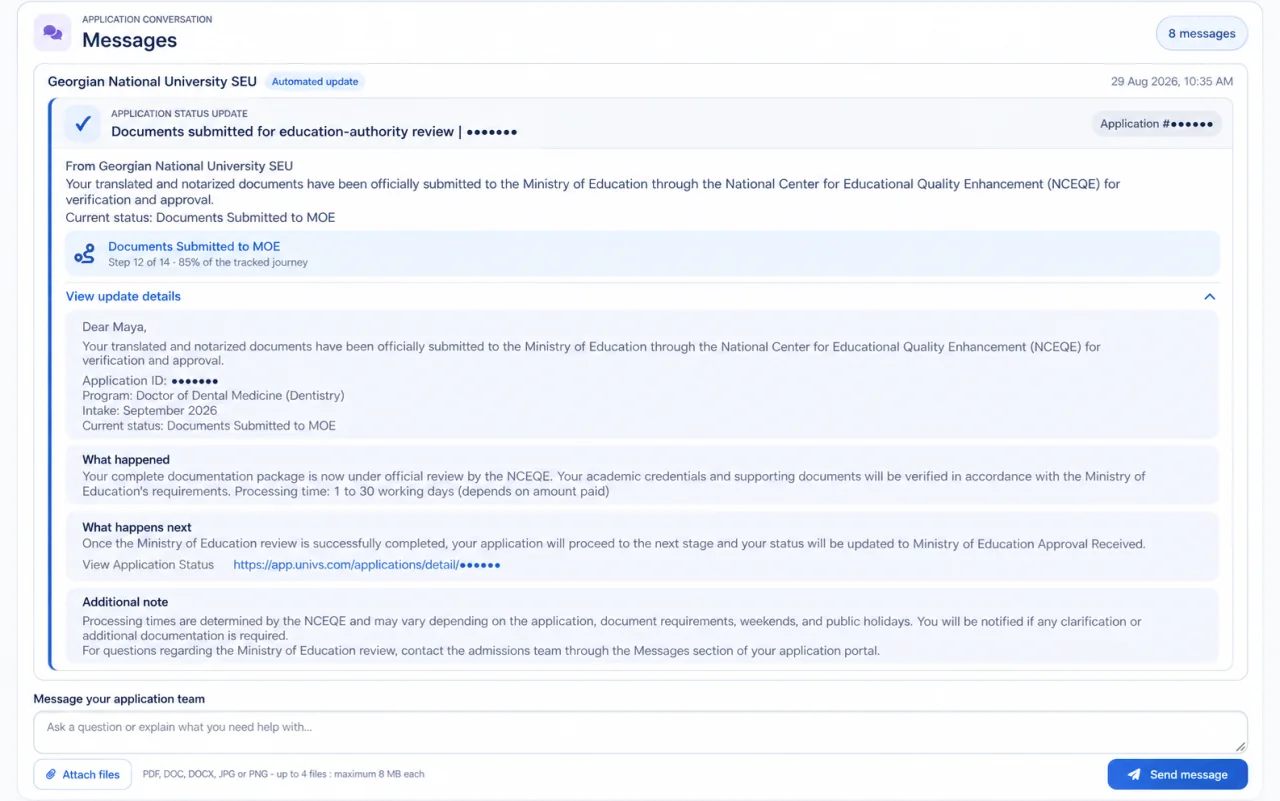
Expand an update to read what happened, what happens next, processing guidance, and additional notes. The complete message remains attached to the correct SEU dentistry application, with the reply composer directly below.
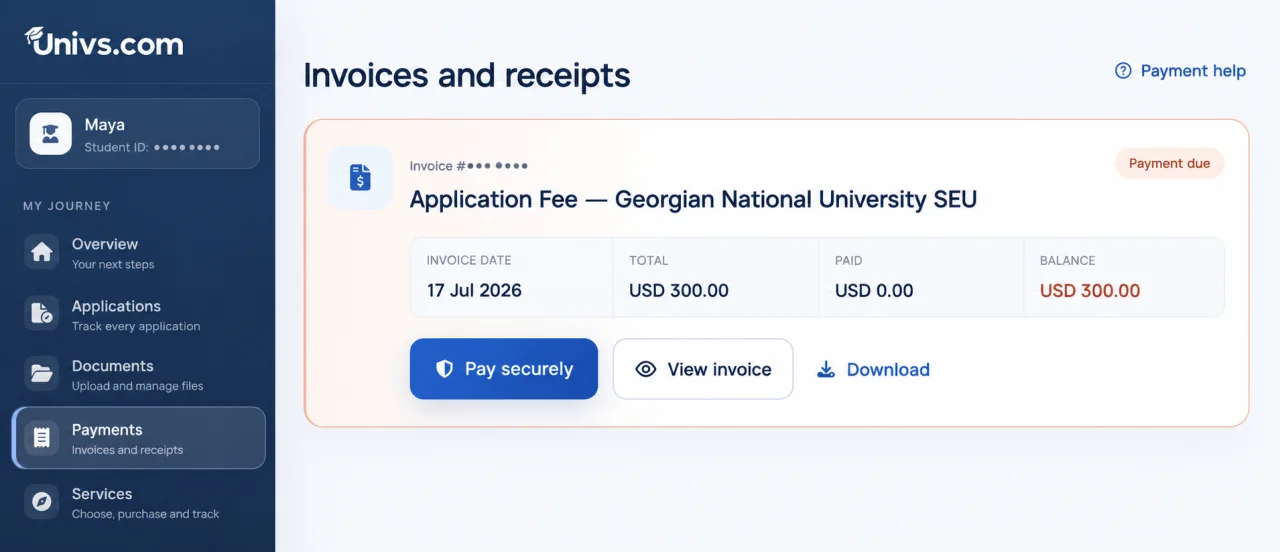
This real Georgian National University SEU application-fee invoice separates the invoice date, total, paid amount, and remaining balance. The student can pay securely, view the invoice, or download a copy.
One account, every application
Programme names, universities, progress, current status, intake, next actions, and conversations stay clear-even when you apply to several institutions.
Common questions
Yes. Multiple applications can appear in the same account. Each keeps its own programme, status, documents, messages, and history.
Your dashboard highlights new updates and actions. Open an application to review its milestone, timeline, documents, and messages.
Univs does not charge students a platform fee to search, compare, or submit an available application. Institutions may charge their own fees.
Ready when you are
For institutes
Give your admissions team a clear workspace for programme publishing, application review, document requests, messages, and enrolment decisions.
Inside the institute portal
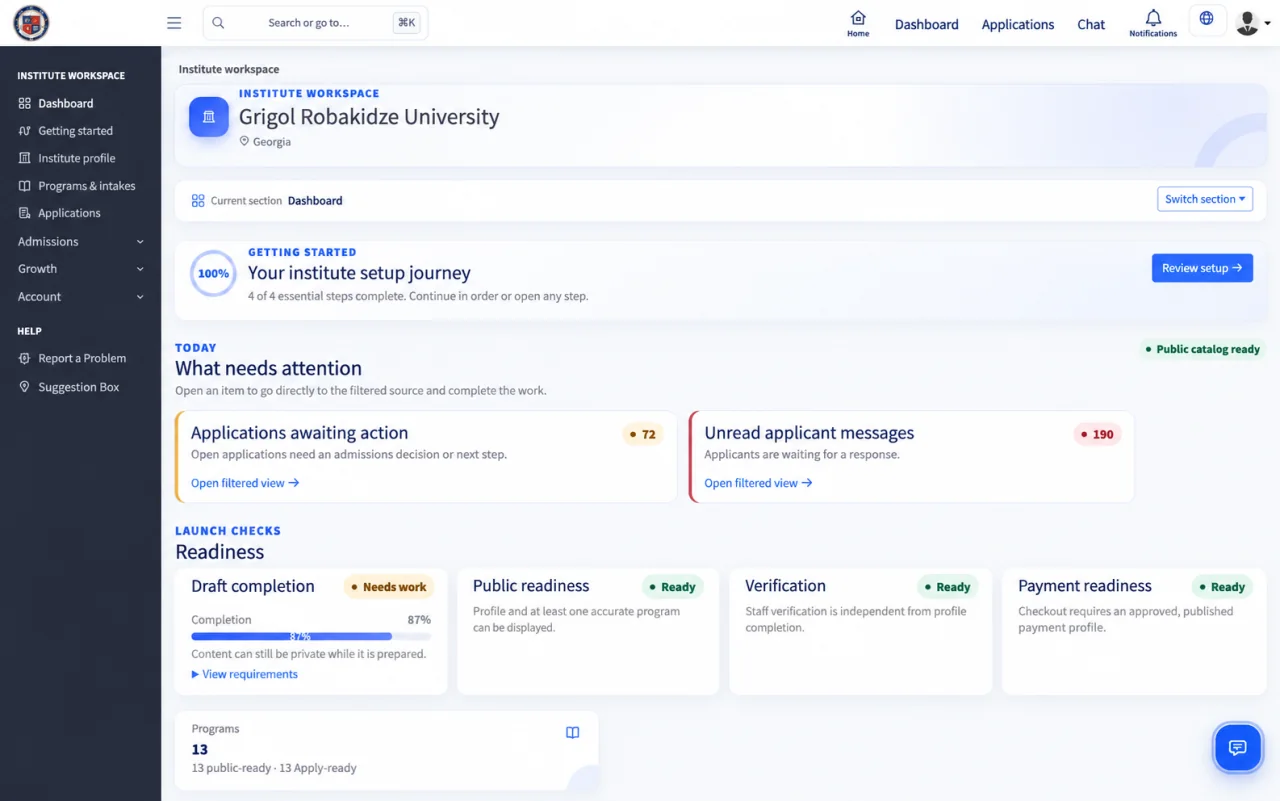
Start from a dashboard that brings programme readiness, applications awaiting action, unread messages, and setup requirements into one view.
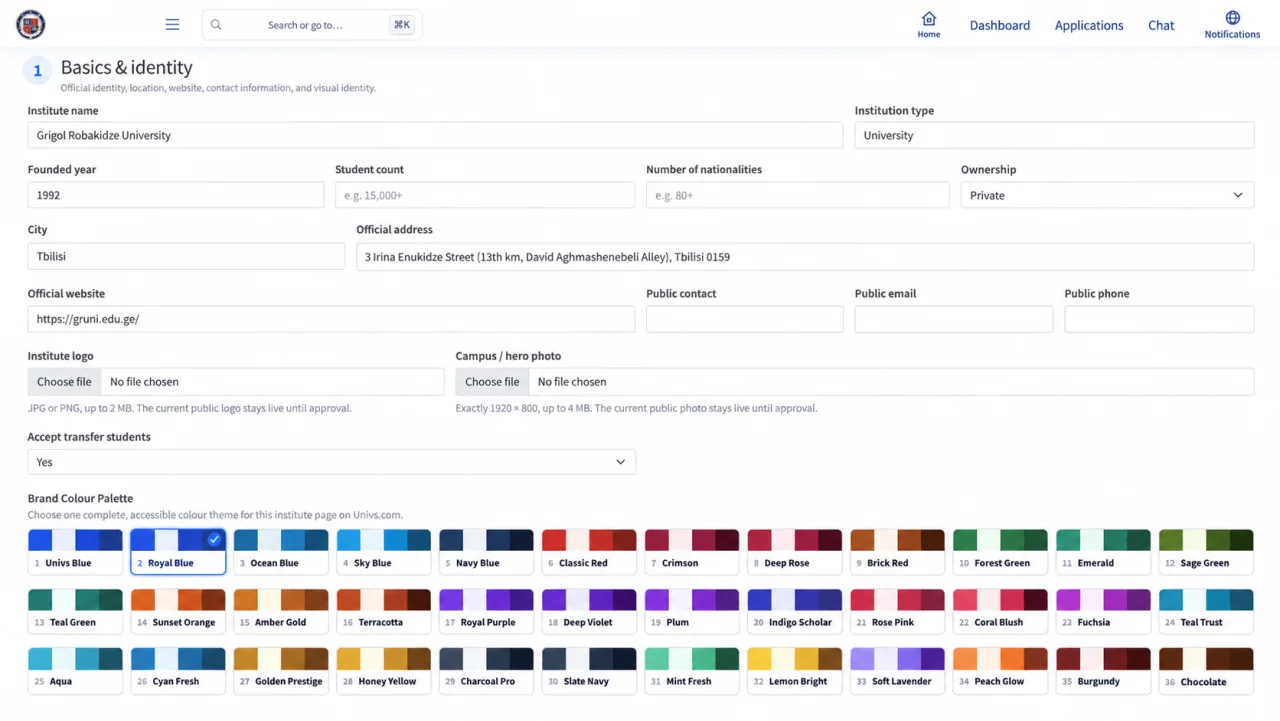
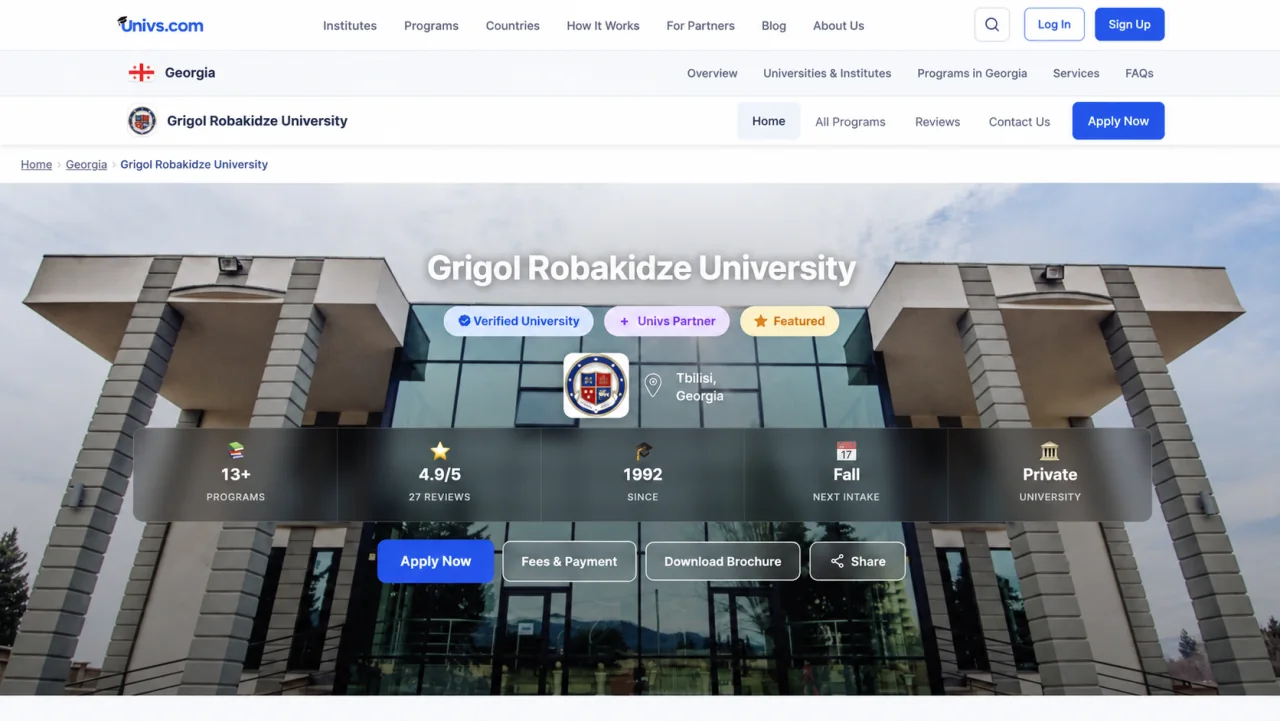
Select a complete accessible colour theme, then see the same palette applied to the public institute profile.
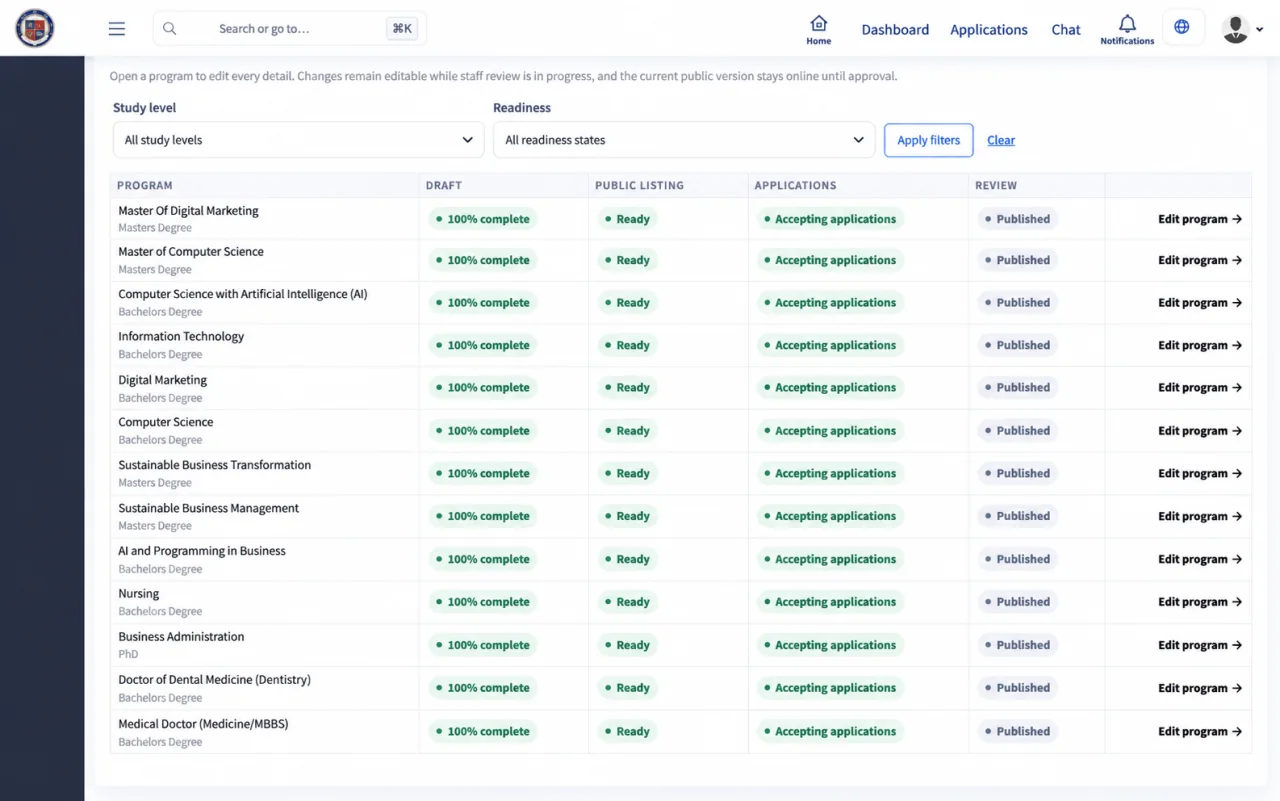
Keep programme names, study levels, intakes, tuition details, application fees, and availability organised in the same institutional account.
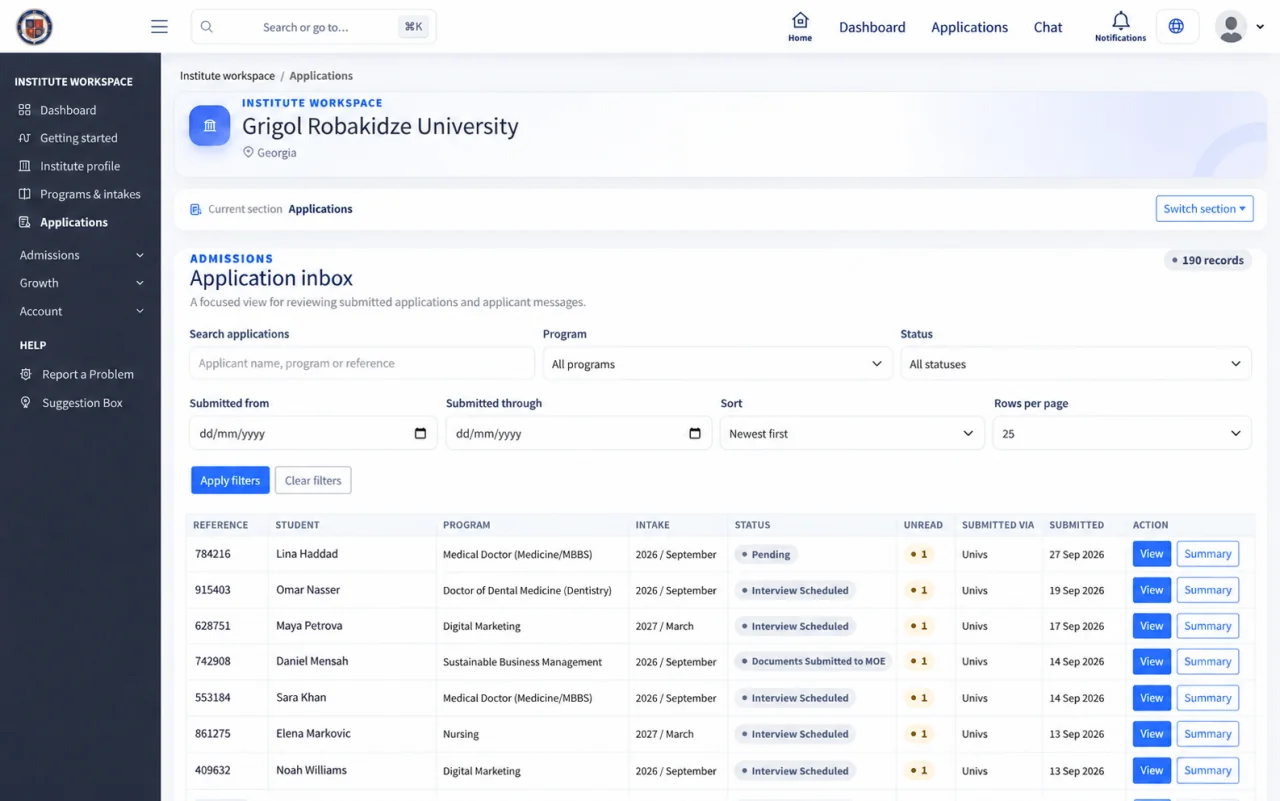
Search and compare applicant references, programmes, intakes, dates, and application statuses without mixing cases together.
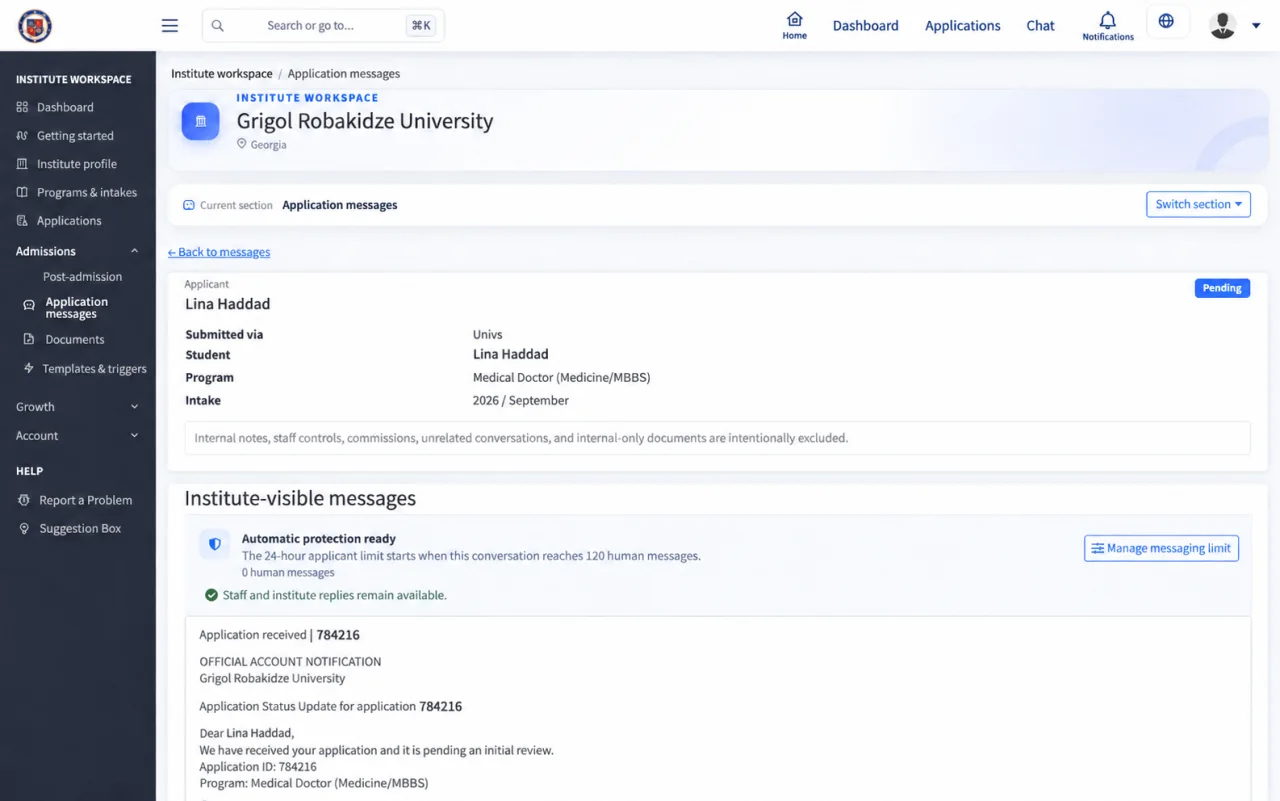
Open the application conversation, review the programme and intake, and send a detailed update that remains attached to the correct applicant.
A clearer admissions workspace
For education agents
Manage owned students, create applications, follow admissions actions, and understand commission requirements from one agent workspace.
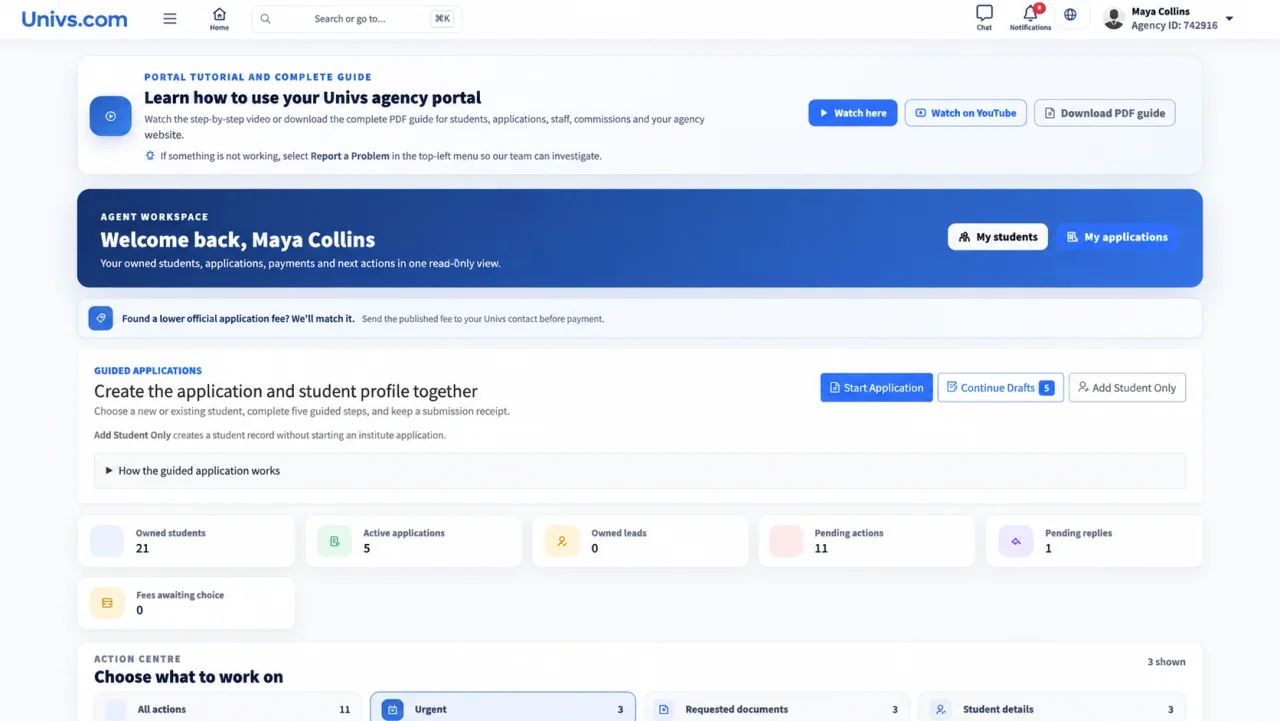
The complete agent workflow
See owned students, active applications, pending actions, replies, drafts, and application-fee choices from the dashboard.
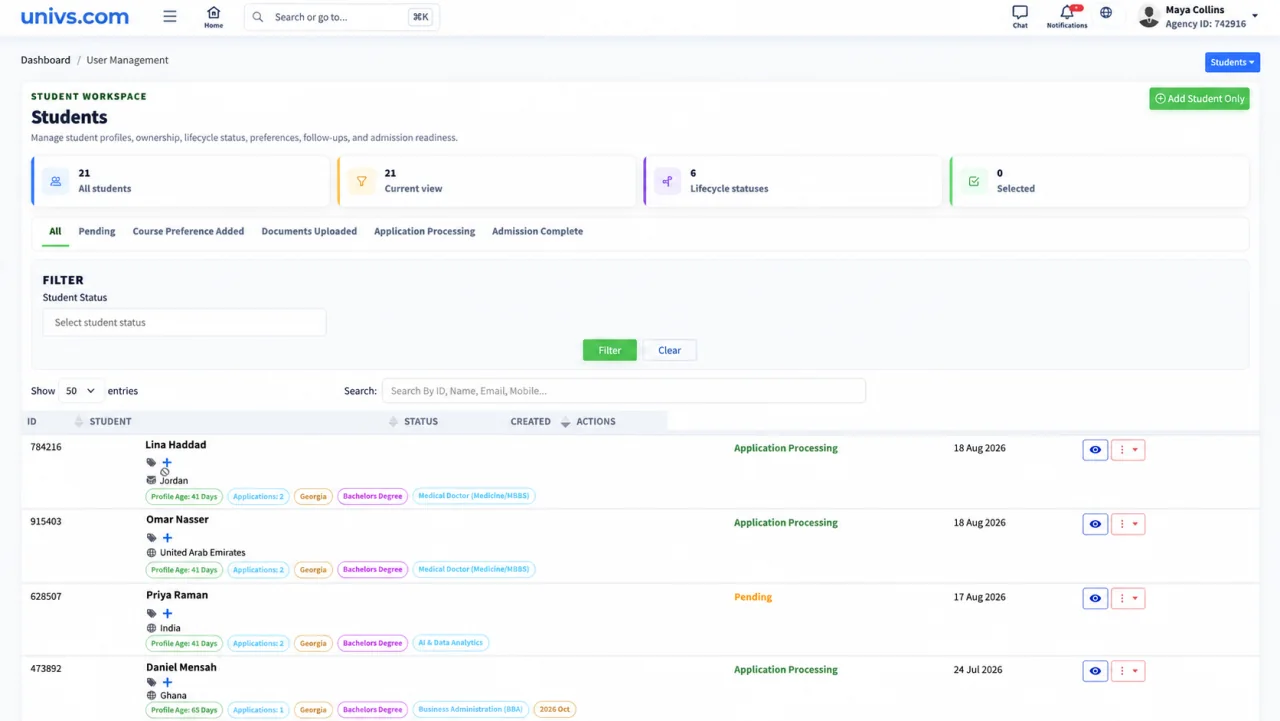
Review student lifecycle status, programme interest, application count, country, and creation date from one searchable list.
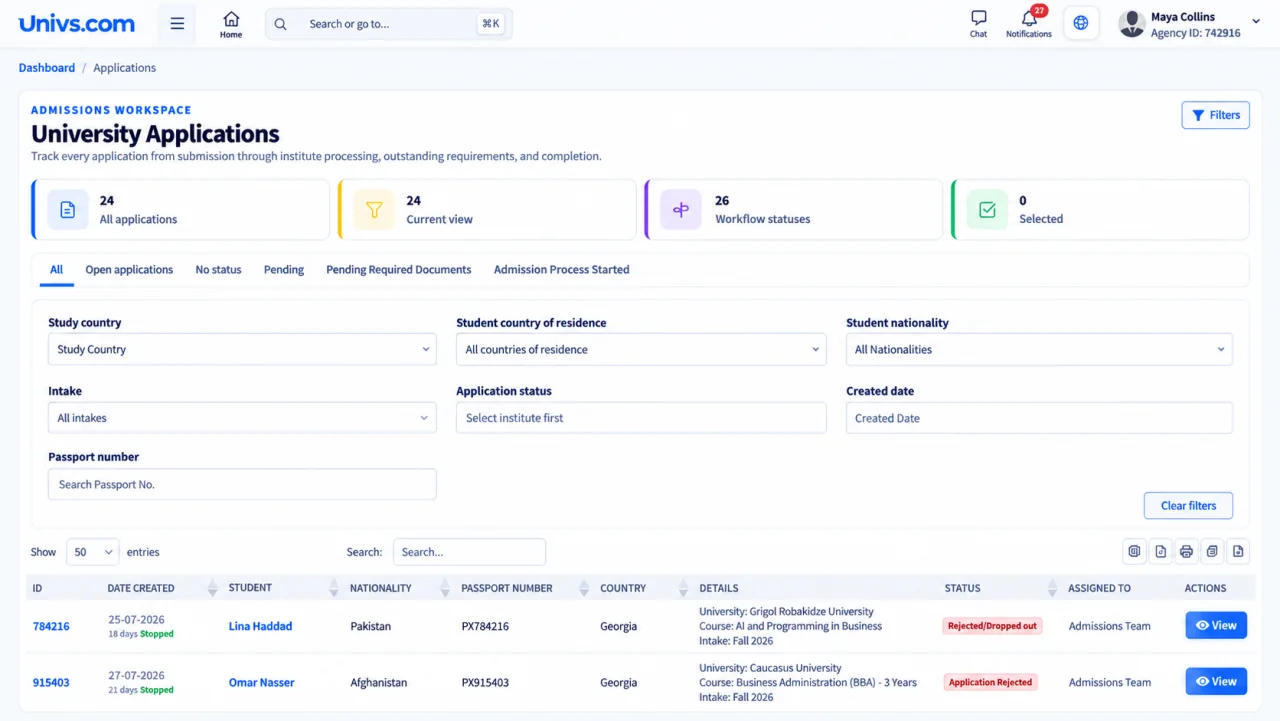
Compare institution, programme, intake, date, country, status, and assigned admissions team across every application.
See the commission amount, funding trigger, application status, and qualification rule for each owned application before a payout is available.
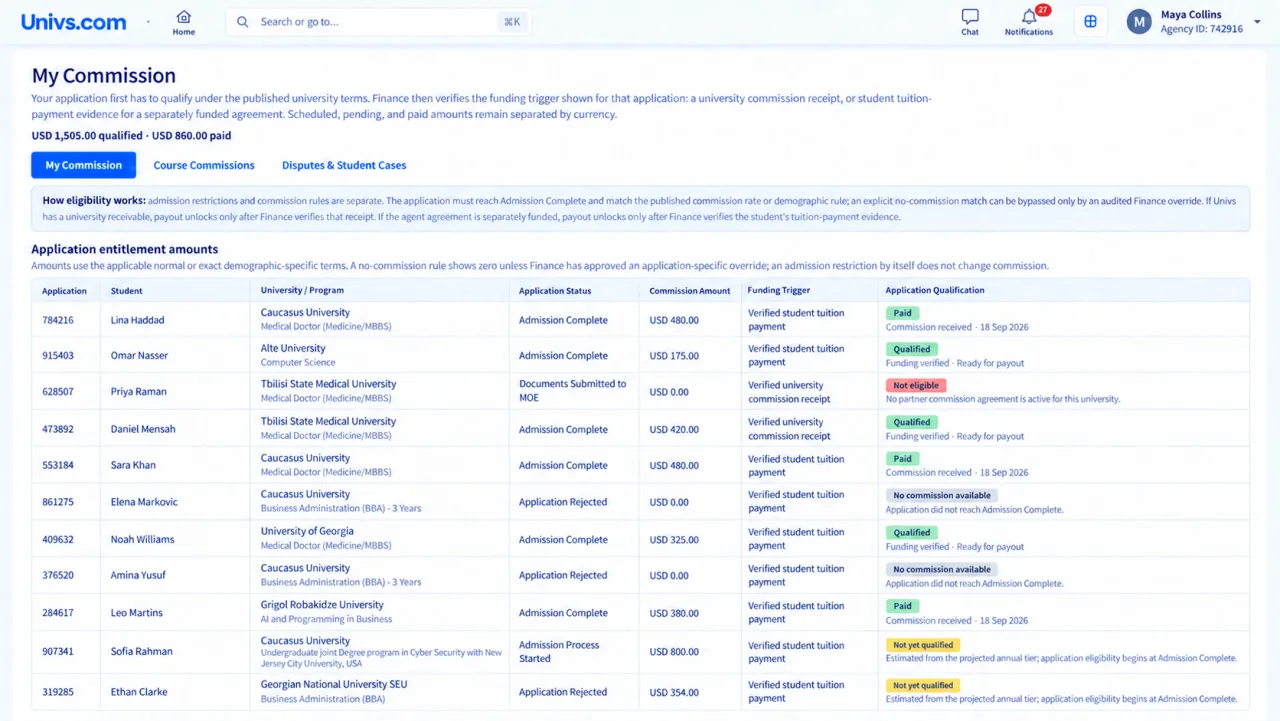
One connected agency workflow
Resources
Legal & privacy
© 2026 Univs LLC, trading as Univs.com · All rights reservedInstall our app for faster access, offline support, and a better experience.
Connect to Wi-Fi or mobile data, then try again.
